Can QR Codes Open Apps? Yes, With a Few Limits

Eureka Seven

Can QR Codes Open Apps? Yes, With a Few Limits

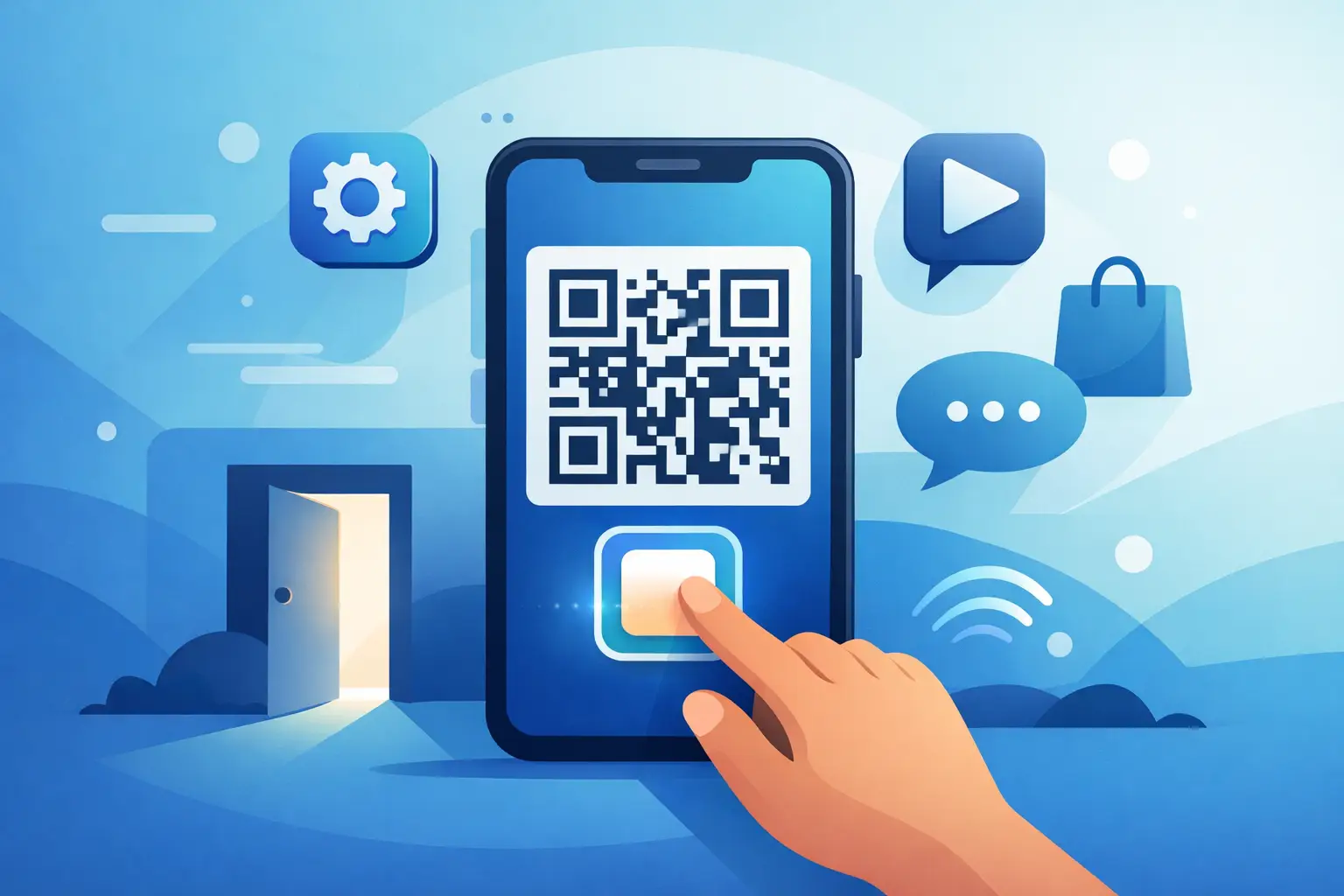
A customer scans a QR code on your menu, package, flyer, or storefront. Can QR codes open apps instead of simply opening a website? Yes, but the result depends on the type of link inside the code, the customer’s phone, and whether the app is installed.

For most businesses, the practical answer is simple: a QR code can send people into an app when you use the right kind of destination. It can also give them a useful fallback when they do not have that app. That fallback matters. A code that only works for one group of users can turn a quick interaction into a dead end.

How QR Codes Open Apps

How QR Codes Open Apps

A QR code does not contain an app or install one by itself. It stores data, most often a URL. When a phone’s camera reads that URL, the operating system decides what to do with it.

If the URL is associated with an installed app, the phone may open the app directly. For example, a QR code can lead to a specific product in a shopping app, a restaurant profile in a delivery app, a location in a map app, or a social media profile in its native app.

This is usually handled through a deep link. A deep link points to a specific place inside an app rather than just its home screen. Someone who scans a code for a particular item can land on that item’s page, provided the app supports deep linking and is installed on their device.

There is a key limitation: the same QR code can behave differently on different phones. One person may see the app open immediately. Another may be sent to a browser page because they do not have the app, their phone settings differ, or the app has not set up its links correctly.

The Three Main Ways a QR Code Can Lead to an App

The Three Main Ways a QR Code Can Lead to an App

Standard web links that hand off to an app

The simplest option is a regular HTTPS web link. Many popular services recognize their own web pages and can open the matching installed app. A link to a social profile, video, map location, or online store may open the relevant app automatically.

This is convenient because it also works in a browser. If the app does not open, the visitor still reaches the intended page. For most small businesses and creators, this is the best starting point because it gives customers the fewest ways to get stuck.

The trade-off is that the handoff is not always guaranteed. Mobile operating systems and app settings control whether a web link opens in an app or stays in the browser.

Deep links

Deep links use an app-specific format or an approved web address to direct users to a particular screen. A retailer might use one to open a product page. A fitness studio could send members to a class booking screen. A creator might direct followers to a specific piece of content rather than a general profile.

Deep links are useful when the destination needs to be precise. They reduce the number of taps after scanning, which can improve response rates on time-sensitive promotions, event check-ins, loyalty offers, or product instructions.

They require more testing than a basic URL. If the app changes its link format or the phone does not recognize the link, the customer needs somewhere else to go.

Universal links and Android App Links

Universal Links on iPhone and App Links on Android are web addresses verified by an app developer. They are designed to open the matching app when it is available, while still opening a website when it is not.

This is usually the most reliable approach for businesses with their own mobile app. It gives users an app-first experience without abandoning people who have not downloaded the app.

Setting these up involves work on both your website and your app. If you are promoting a third-party platform, such as a delivery service or social network, use the official link that platform provides instead of trying to build the app connection yourself.

What Happens When the App Is Not Installed?

What Happens When the App Is Not Installed?

A useful QR code should still help the person who does not have the app. The best fallback depends on your goal.

For a local business, send people to a mobile-friendly webpage with your address, hours, menu, booking options, and contact details. For an app-focused campaign, send them to the appropriate app store page or a simple page that detects their device and presents the right download option. For a social campaign, a standard profile URL is often enough because it can open in a browser when the social app is unavailable.

Avoid QR codes that lead only to a custom app scheme with no backup. If the app is missing, the phone may show an error or do nothing useful. That is especially frustrating when someone has scanned a printed code and has no other path to the information.

When App-Opening QR Codes Make Sense

When App-Opening QR Codes Make Sense

Opening an app is helpful when the app improves the experience compared with a browser. A restaurant can use a code that opens its ordering flow. A retailer can place a code near a display that opens the product in its shopping app. A venue can direct attendees to its event app for schedules, maps, and ticket details.

It also works well for repeat customers. If your audience already uses your app, a QR code can get them to the right feature quickly. Think account sign-in, rewards, reorder pages, appointment check-in, customer support, or a saved wish list.

It may not be the best choice for first-time visitors. Asking someone to download an app just to read a menu, view pricing, or get directions adds friction. In those cases, a fast mobile webpage is usually more effective. The app can remain an optional next step.

How to Create a QR Code That Opens an App Reliably

How to Create a QR Code That Opens an App Reliably

Start with the destination, not the QR code design. Choose the exact page or screen you want people to reach. If a standard web URL can open the relevant app and still work in a browser, use that first.

If you own the app, work with your developer to confirm that Universal Links and Android App Links are configured. Then create a QR code from the verified web URL. Do not assume an app link works because it worked once on your own phone.

Before printing or sharing the code, test it on current iPhone and Android devices. Test with the app installed and, if possible, without it installed. Check what happens when the person scans through the phone camera, because scanner apps can sometimes handle links differently.

Also test the full customer journey. Does the app open to the correct screen? Does the browser fallback explain what to do next? Is the page easy to use on a small screen? A technically valid QR code is not enough if the destination is slow, confusing, or outdated.

Use a clear call to action next to the code. “Order in our app,” “Open the map,” or “View this item” gives people a reason to scan and sets the right expectation. A code with no context is easy to ignore, even when it works perfectly.

For web and social destinations, a tool such as QRColor can turn your chosen URL into a scannable code for packaging, signage, handouts, and digital graphics. The QR code is the access point. The quality of the experience comes from the link and what happens after the scan.

Common Problems to Avoid

Common Problems to Avoid

A QR code may not open an app because the link is not supported by that app, the app is not installed, or the device has chosen the browser instead. These are normal possibilities, not necessarily a problem with the code itself.

Another common issue is using an old or copied link. A campaign can fail when the destination has moved, a profile has been renamed, or a product is no longer available. Review QR destinations before reprinting materials, especially for seasonal offers and event signage.

Do not make the code too small or place it on a busy background. If people cannot scan it quickly, they will not reach the app or the webpage. Leave clear space around the code, maintain strong contrast, and test it from the expected scanning distance.

The Best Approach for Most Campaigns

The Best Approach for Most Campaigns

Use a QR code that points to a reliable mobile web URL, then let the phone open the app when it can. This approach serves both app users and everyone else. It is easier to manage, easier to test, and less likely to leave a customer with nowhere to go.

When the app experience is essential, pair the app-opening link with a useful browser fallback and a direct call to action. The goal is not just to make an app launch. It is to help someone complete the next useful action with as little effort as possible.

Can QR Codes Open Apps? Yes, With a Few Limits

Eureka Seven

A customer scans a QR code on your menu, package, flyer, or storefront. Can QR codes open apps instead of simply opening a website? Yes, but the result depends on the type of link inside the code, the customer’s phone, and whether the app is installed.

For most businesses, the practical answer is simple: a QR code can send people into an app when you use the right kind of destination. It can also give them a useful fallback when they do not have that app. That fallback matters. A code that only works for one group of users can turn a quick interaction into a dead end.

How QR Codes Open Apps

How QR Codes Open Apps

A QR code does not contain an app or install one by itself. It stores data, most often a URL. When a phone’s camera reads that URL, the operating system decides what to do with it.

If the URL is associated with an installed app, the phone may open the app directly. For example, a QR code can lead to a specific product in a shopping app, a restaurant profile in a delivery app, a location in a map app, or a social media profile in its native app.

This is usually handled through a deep link. A deep link points to a specific place inside an app rather than just its home screen. Someone who scans a code for a particular item can land on that item’s page, provided the app supports deep linking and is installed on their device.

There is a key limitation: the same QR code can behave differently on different phones. One person may see the app open immediately. Another may be sent to a browser page because they do not have the app, their phone settings differ, or the app has not set up its links correctly.

The Three Main Ways a QR Code Can Lead to an App

The Three Main Ways a QR Code Can Lead to an App

Standard web links that hand off to an app

The simplest option is a regular HTTPS web link. Many popular services recognize their own web pages and can open the matching installed app. A link to a social profile, video, map location, or online store may open the relevant app automatically.

This is convenient because it also works in a browser. If the app does not open, the visitor still reaches the intended page. For most small businesses and creators, this is the best starting point because it gives customers the fewest ways to get stuck.

The trade-off is that the handoff is not always guaranteed. Mobile operating systems and app settings control whether a web link opens in an app or stays in the browser.

Deep links

Deep links use an app-specific format or an approved web address to direct users to a particular screen. A retailer might use one to open a product page. A fitness studio could send members to a class booking screen. A creator might direct followers to a specific piece of content rather than a general profile.

Deep links are useful when the destination needs to be precise. They reduce the number of taps after scanning, which can improve response rates on time-sensitive promotions, event check-ins, loyalty offers, or product instructions.

They require more testing than a basic URL. If the app changes its link format or the phone does not recognize the link, the customer needs somewhere else to go.

Universal links and Android App Links

Universal Links on iPhone and App Links on Android are web addresses verified by an app developer. They are designed to open the matching app when it is available, while still opening a website when it is not.

This is usually the most reliable approach for businesses with their own mobile app. It gives users an app-first experience without abandoning people who have not downloaded the app.

Setting these up involves work on both your website and your app. If you are promoting a third-party platform, such as a delivery service or social network, use the official link that platform provides instead of trying to build the app connection yourself.

What Happens When the App Is Not Installed?

What Happens When the App Is Not Installed?

A useful QR code should still help the person who does not have the app. The best fallback depends on your goal.

For a local business, send people to a mobile-friendly webpage with your address, hours, menu, booking options, and contact details. For an app-focused campaign, send them to the appropriate app store page or a simple page that detects their device and presents the right download option. For a social campaign, a standard profile URL is often enough because it can open in a browser when the social app is unavailable.

Avoid QR codes that lead only to a custom app scheme with no backup. If the app is missing, the phone may show an error or do nothing useful. That is especially frustrating when someone has scanned a printed code and has no other path to the information.

When App-Opening QR Codes Make Sense

When App-Opening QR Codes Make Sense

Opening an app is helpful when the app improves the experience compared with a browser. A restaurant can use a code that opens its ordering flow. A retailer can place a code near a display that opens the product in its shopping app. A venue can direct attendees to its event app for schedules, maps, and ticket details.

It also works well for repeat customers. If your audience already uses your app, a QR code can get them to the right feature quickly. Think account sign-in, rewards, reorder pages, appointment check-in, customer support, or a saved wish list.

It may not be the best choice for first-time visitors. Asking someone to download an app just to read a menu, view pricing, or get directions adds friction. In those cases, a fast mobile webpage is usually more effective. The app can remain an optional next step.

How to Create a QR Code That Opens an App Reliably

How to Create a QR Code That Opens an App Reliably

Start with the destination, not the QR code design. Choose the exact page or screen you want people to reach. If a standard web URL can open the relevant app and still work in a browser, use that first.

If you own the app, work with your developer to confirm that Universal Links and Android App Links are configured. Then create a QR code from the verified web URL. Do not assume an app link works because it worked once on your own phone.

Before printing or sharing the code, test it on current iPhone and Android devices. Test with the app installed and, if possible, without it installed. Check what happens when the person scans through the phone camera, because scanner apps can sometimes handle links differently.

Also test the full customer journey. Does the app open to the correct screen? Does the browser fallback explain what to do next? Is the page easy to use on a small screen? A technically valid QR code is not enough if the destination is slow, confusing, or outdated.

Use a clear call to action next to the code. “Order in our app,” “Open the map,” or “View this item” gives people a reason to scan and sets the right expectation. A code with no context is easy to ignore, even when it works perfectly.

For web and social destinations, a tool such as QRColor can turn your chosen URL into a scannable code for packaging, signage, handouts, and digital graphics. The QR code is the access point. The quality of the experience comes from the link and what happens after the scan.

Common Problems to Avoid

Common Problems to Avoid

A QR code may not open an app because the link is not supported by that app, the app is not installed, or the device has chosen the browser instead. These are normal possibilities, not necessarily a problem with the code itself.

Another common issue is using an old or copied link. A campaign can fail when the destination has moved, a profile has been renamed, or a product is no longer available. Review QR destinations before reprinting materials, especially for seasonal offers and event signage.

Do not make the code too small or place it on a busy background. If people cannot scan it quickly, they will not reach the app or the webpage. Leave clear space around the code, maintain strong contrast, and test it from the expected scanning distance.

The Best Approach for Most Campaigns

The Best Approach for Most Campaigns

Use a QR code that points to a reliable mobile web URL, then let the phone open the app when it can. This approach serves both app users and everyone else. It is easier to manage, easier to test, and less likely to leave a customer with nowhere to go.

When the app experience is essential, pair the app-opening link with a useful browser fallback and a direct call to action. The goal is not just to make an app launch. It is to help someone complete the next useful action with as little effort as possible.