Funktionierende QR-Codes für Visitenkarten

Eureka Seven

QR Code for Business Cards That Works

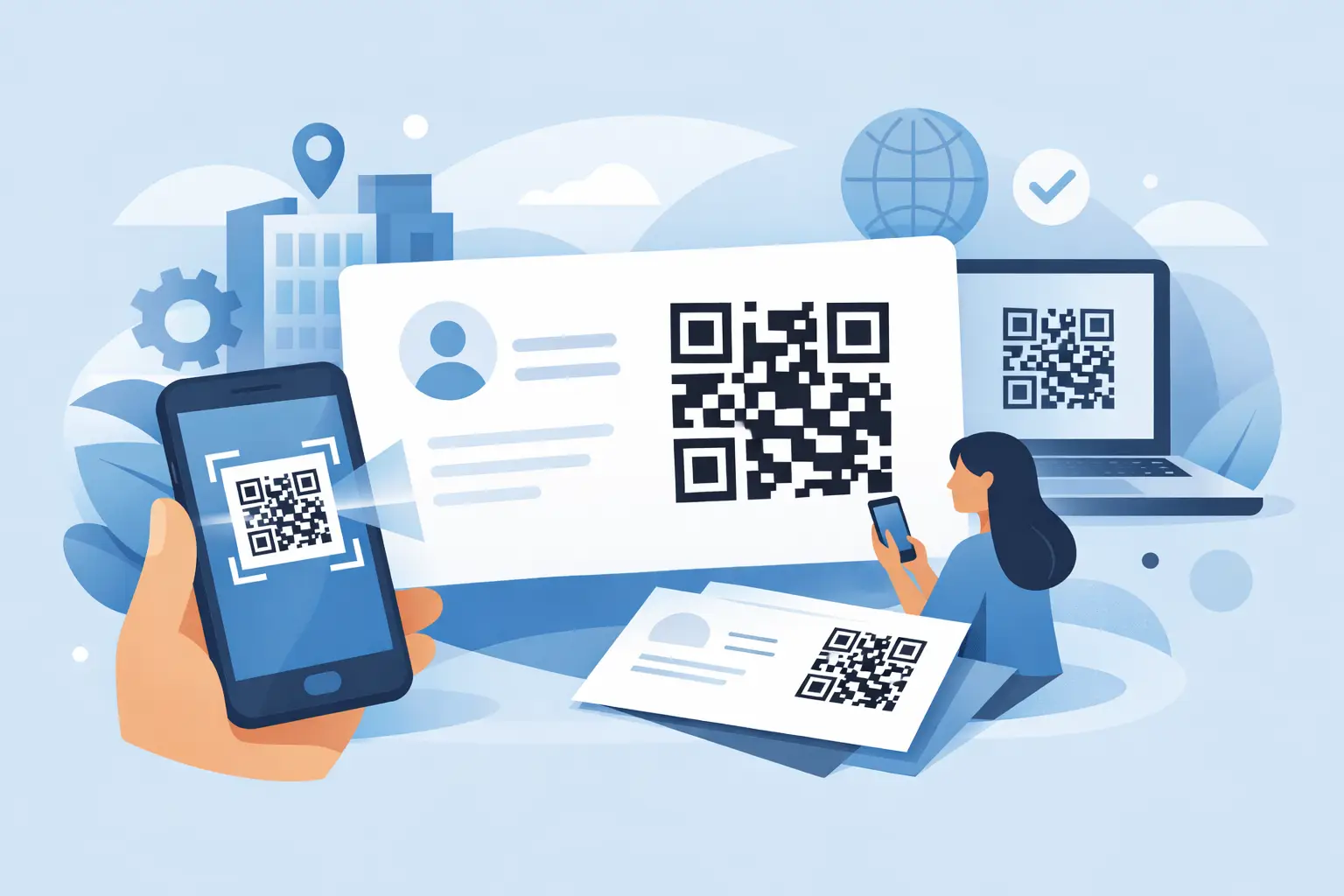
A business card gives you about three seconds to stay useful. A qr code for business cards can make those seconds count by sending someone straight to your website, booking page, portfolio, or social profile without asking them to type anything.

That small change matters more than it sounds. Most people do not enter a URL from a card later. They lose the card, forget the name, or mean to follow up and never do. A scannable code removes that gap between meeting someone and giving them a clear next step.

Why a qr code for business cards makes sense

Why a qr code for business cards makes sense

Business cards are still common at conferences, client meetings, retail counters, and local events. The problem is that a printed card is limited. You can fit a name, title, phone number, and maybe one web address. That is useful, but it does not do much beyond basic contact sharing.

A QR code changes the card from static to actionable. Instead of asking people to remember you, it gives them a direct path to act right away. They can open your site, save your contact info, view your menu, browse your work, or book an appointment while they are still standing in front of you.

For small businesses and solo professionals, that speed is the real benefit. You are not adding tech for the sake of it. You are removing friction.

What should the code link to?

What should the code link to?

This is where a lot of business cards go wrong. The QR code works, but it leads to the wrong destination.

If you own a business, the best link is usually the page that helps a new contact decide what to do next. That might be your homepage if it is clean and focused. It might also be a service page, a booking page, a portfolio, a product catalog, or a contact form.

If you are a freelancer or creator, a portfolio or profile hub often works better than a general website. If you are networking heavily, a digital contact card can make sense because it lets people save your information faster.

The right choice depends on the setting. A realtor handing out cards at open houses might send people to current listings. A photographer might send them to a gallery. A restaurant owner might send them to the menu. A consultant might send them to a scheduling page.

The simple test is this: after someone scans, what do you want them to do in the next 30 seconds? Your QR code should support that action.

Where to place a qr code for business cards

Where to place a qr code for business cards

Placement affects whether people notice the code and whether they feel invited to use it. In most cases, the back of the card is the easiest choice because it gives the code enough room without crowding your main contact details.

If the front has enough whitespace, that can work too. The bigger issue is balance. A QR code should not overpower your name or brand, but it also should not be so small that scanning becomes unreliable.

Leave quiet space around the code so phone cameras can read it easily. Do not push it against text, borders, or busy graphics. Print design matters here. A code that scans perfectly on screen can fail on paper if it is cramped, low contrast, or reduced too much.

A short line of text near the code helps. Something as simple as “Scan to book,” “Scan to view portfolio,” or “Scan for menu” gives people a reason to use it. Without that prompt, some people will ignore it even if they notice it.

Design choices that help scanning

Design choices that help scanning

A QR code on a business card has to do two jobs at once. It has to look clean, and it has to work fast. If you sacrifice function for style, the card stops doing its job.

Black on white is still the safest option because it gives the best contrast. If you want to use brand colors, keep the contrast high. Light gray on cream paper may look polished, but it can be harder to scan under poor lighting.

Size matters too. Tiny codes often fail when printed on textured stock or viewed from awkward angles. A little more space usually improves reliability. This is one area where practical beats clever.

You should also test the printed version, not just the digital file. Different paper stocks, finishes, and printers can affect readability. Glossy cards can create glare. Very dark backgrounds can reduce contrast. Embossing or specialty finishes may interfere with the code itself.

Static vs dynamic QR codes

Static vs dynamic QR codes

If you are choosing a qr code for business cards, one practical decision is whether the destination can change later.

A static code points to one fixed URL. It is simple and works well if the destination is unlikely to change. If your main website is stable and you know that link will stay active, static may be enough.

A dynamic code gives you more flexibility because you can update the destination without reprinting the card. That matters if you expect to change landing pages, campaigns, service offerings, or profile links over time.

For many businesses, the trade-off is straightforward. Static is simpler. Dynamic is more flexible. If you print a large batch of cards and your online presence changes often, flexibility can save money and hassle later.

Common mistakes to avoid

Common mistakes to avoid

The biggest mistake is linking to a page that is not mobile-friendly. Most people will scan your code with a phone, so the destination needs to load quickly and look clean on a small screen. If it does not, the scan feels wasted.

Another common issue is sending people to a page with too many choices. If your homepage is cluttered, the QR code does not really help. A focused landing page often performs better because it gives one clear action.

Some cards also fail because the code is printed too small, too close to other design elements, or in low-contrast colors. Others fail because there is no context. A person sees the code but has no idea what they will get by scanning it.

There is also the trust factor. People are more willing to scan when the card looks professional and the call to action is clear. A mystery code with no explanation can feel risky, especially in a business setting.

Best use cases by business type

Best use cases by business type

The value of a QR code is different depending on what you sell.

Service businesses can use it to drive bookings, quote requests, or contact forms. Local businesses can send people to directions, menus, current offers, or review pages. Creators can send people to portfolios, videos, or social profiles. Sales teams can use it to share product pages or digital contact cards.

For event networking, a QR code can be especially useful because people often meet many contacts in a short time. Instead of hoping someone keeps your card and remembers to follow up later, you give them a way to connect immediately.

That said, not every card needs one. If your audience is less likely to scan, or if the card is mainly for formal contact exchange, a standard design may be enough. The code helps most when speed and follow-through matter.

How to make the card feel worth keeping

How to make the card feel worth keeping

A business card is more likely to stay in someone’s wallet, desk, or pocket if it gives them more than basic contact details. A QR code can add that extra usefulness, but only if the destination feels relevant.

Think less about novelty and more about convenience. If the code saves time, answers a question, or gets someone where they want to go faster, it adds value. If it sends them to a generic page they could have found on their own, it is just decoration.

This is why the landing experience matters as much as the print design. A clean card gets the scan. A useful destination gets the result.

Getting started without overthinking it

Getting started without overthinking it

You do not need a complicated setup to make this work. Start with one clear destination, generate a code that is easy to scan, and place it where it fits naturally on the card. Then print a test copy and scan it with a few different phones in normal lighting.

If the code works quickly and the page gives people an obvious next step, you are in good shape. If not, adjust the destination before you reprint. That small bit of testing is usually the difference between a card that gets used and one that gets ignored.

For most businesses, the best qr code for business cards is not the flashiest one. It is the one that makes follow-up easier the moment someone meets you. If a simple printed card can send a real prospect straight to the right place, it has done more than enough.

QR Code for Business Cards That Works

Eureka Seven

A business card gives you about three seconds to stay useful. A qr code for business cards can make those seconds count by sending someone straight to your website, booking page, portfolio, or social profile without asking them to type anything.

That small change matters more than it sounds. Most people do not enter a URL from a card later. They lose the card, forget the name, or mean to follow up and never do. A scannable code removes that gap between meeting someone and giving them a clear next step.

Why a qr code for business cards makes sense

Why a qr code for business cards makes sense

Business cards are still common at conferences, client meetings, retail counters, and local events. The problem is that a printed card is limited. You can fit a name, title, phone number, and maybe one web address. That is useful, but it does not do much beyond basic contact sharing.

A QR code changes the card from static to actionable. Instead of asking people to remember you, it gives them a direct path to act right away. They can open your site, save your contact info, view your menu, browse your work, or book an appointment while they are still standing in front of you.

For small businesses and solo professionals, that speed is the real benefit. You are not adding tech for the sake of it. You are removing friction.

What should the code link to?

What should the code link to?

This is where a lot of business cards go wrong. The QR code works, but it leads to the wrong destination.

If you own a business, the best link is usually the page that helps a new contact decide what to do next. That might be your homepage if it is clean and focused. It might also be a service page, a booking page, a portfolio, a product catalog, or a contact form.

If you are a freelancer or creator, a portfolio or profile hub often works better than a general website. If you are networking heavily, a digital contact card can make sense because it lets people save your information faster.

The right choice depends on the setting. A realtor handing out cards at open houses might send people to current listings. A photographer might send them to a gallery. A restaurant owner might send them to the menu. A consultant might send them to a scheduling page.

The simple test is this: after someone scans, what do you want them to do in the next 30 seconds? Your QR code should support that action.

Where to place a qr code for business cards

Where to place a qr code for business cards

Placement affects whether people notice the code and whether they feel invited to use it. In most cases, the back of the card is the easiest choice because it gives the code enough room without crowding your main contact details.

If the front has enough whitespace, that can work too. The bigger issue is balance. A QR code should not overpower your name or brand, but it also should not be so small that scanning becomes unreliable.

Leave quiet space around the code so phone cameras can read it easily. Do not push it against text, borders, or busy graphics. Print design matters here. A code that scans perfectly on screen can fail on paper if it is cramped, low contrast, or reduced too much.

A short line of text near the code helps. Something as simple as “Scan to book,” “Scan to view portfolio,” or “Scan for menu” gives people a reason to use it. Without that prompt, some people will ignore it even if they notice it.

Design choices that help scanning

Design choices that help scanning

A QR code on a business card has to do two jobs at once. It has to look clean, and it has to work fast. If you sacrifice function for style, the card stops doing its job.

Black on white is still the safest option because it gives the best contrast. If you want to use brand colors, keep the contrast high. Light gray on cream paper may look polished, but it can be harder to scan under poor lighting.

Size matters too. Tiny codes often fail when printed on textured stock or viewed from awkward angles. A little more space usually improves reliability. This is one area where practical beats clever.

You should also test the printed version, not just the digital file. Different paper stocks, finishes, and printers can affect readability. Glossy cards can create glare. Very dark backgrounds can reduce contrast. Embossing or specialty finishes may interfere with the code itself.

Static vs dynamic QR codes

Static vs dynamic QR codes

If you are choosing a qr code for business cards, one practical decision is whether the destination can change later.

A static code points to one fixed URL. It is simple and works well if the destination is unlikely to change. If your main website is stable and you know that link will stay active, static may be enough.

A dynamic code gives you more flexibility because you can update the destination without reprinting the card. That matters if you expect to change landing pages, campaigns, service offerings, or profile links over time.

For many businesses, the trade-off is straightforward. Static is simpler. Dynamic is more flexible. If you print a large batch of cards and your online presence changes often, flexibility can save money and hassle later.

Common mistakes to avoid

Common mistakes to avoid

The biggest mistake is linking to a page that is not mobile-friendly. Most people will scan your code with a phone, so the destination needs to load quickly and look clean on a small screen. If it does not, the scan feels wasted.

Another common issue is sending people to a page with too many choices. If your homepage is cluttered, the QR code does not really help. A focused landing page often performs better because it gives one clear action.

Some cards also fail because the code is printed too small, too close to other design elements, or in low-contrast colors. Others fail because there is no context. A person sees the code but has no idea what they will get by scanning it.

There is also the trust factor. People are more willing to scan when the card looks professional and the call to action is clear. A mystery code with no explanation can feel risky, especially in a business setting.

Best use cases by business type

Best use cases by business type

The value of a QR code is different depending on what you sell.

Service businesses can use it to drive bookings, quote requests, or contact forms. Local businesses can send people to directions, menus, current offers, or review pages. Creators can send people to portfolios, videos, or social profiles. Sales teams can use it to share product pages or digital contact cards.

For event networking, a QR code can be especially useful because people often meet many contacts in a short time. Instead of hoping someone keeps your card and remembers to follow up later, you give them a way to connect immediately.

That said, not every card needs one. If your audience is less likely to scan, or if the card is mainly for formal contact exchange, a standard design may be enough. The code helps most when speed and follow-through matter.

How to make the card feel worth keeping

How to make the card feel worth keeping

A business card is more likely to stay in someone’s wallet, desk, or pocket if it gives them more than basic contact details. A QR code can add that extra usefulness, but only if the destination feels relevant.

Think less about novelty and more about convenience. If the code saves time, answers a question, or gets someone where they want to go faster, it adds value. If it sends them to a generic page they could have found on their own, it is just decoration.

This is why the landing experience matters as much as the print design. A clean card gets the scan. A useful destination gets the result.

Getting started without overthinking it

Getting started without overthinking it

You do not need a complicated setup to make this work. Start with one clear destination, generate a code that is easy to scan, and place it where it fits naturally on the card. Then print a test copy and scan it with a few different phones in normal lighting.

If the code works quickly and the page gives people an obvious next step, you are in good shape. If not, adjust the destination before you reprint. That small bit of testing is usually the difference between a card that gets used and one that gets ignored.

For most businesses, the best qr code for business cards is not the flashiest one. It is the one that makes follow-up easier the moment someone meets you. If a simple printed card can send a real prospect straight to the right place, it has done more than enough.